Rule Actions
What a rule does when its condition is true.
An action runs when the logic block it is linked to evaluates to true. A rule can have several actions, and a saved action can be reused in other rules.
Rule actions use the same output connectors as data flows, plus downlinks:
The content an action sends can be customized with payload templating, for example to include the value that triggered the rule.
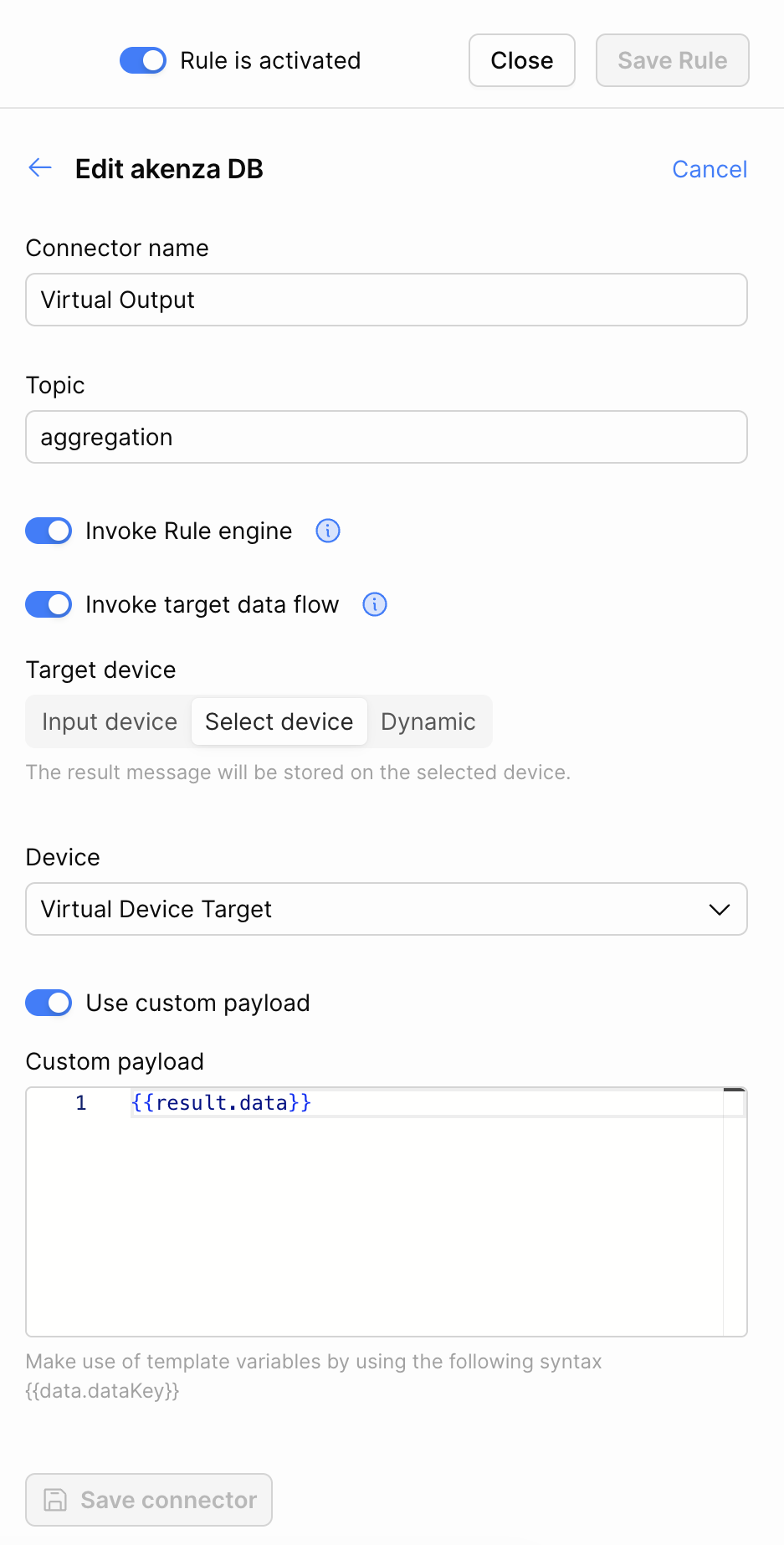
akenza DB action
The akenza DB action of a rule stores the rule result as a message on a device. It has two options that pass the result on, which are only available on this action.

Topic
The topic of the stored message.
Invoke Rule engine
Evaluate the rules again with the stored message. See below.
Invoke target data flow
Also send the stored message to the outputs of the target device's data flow. See below.
Target device
The device the message is stored on: Input device, the device that triggered the rule, Select device, a device you choose, or Dynamic.
Use custom payload
Store a payload template instead of the rule result.
Invoke Rule engine
When enabled, the stored message is evaluated by the rules again, so another rule can be applied to the result of this one.
If the result comes from a Custom Logic block, the emitted action needs the structure of a sample. See Re-invoking the rule engine.
The rule engine can be invoked at most 3 times in a row.
Invoke target data flow
When enabled, the message stored on the target device is also sent to the outputs of that device's data flow, such as Kafka, a webhook, or an email. Use it to pass a rule result on through the integrations of the target device.
The option is only available when:
Invoke Rule engine is enabled, and
the target device is set to Select device or Dynamic.
It is not available with Input device, because the triggering message would be sent to the outputs twice.
The same limit of 3 consecutive invocations applies. After the third, the outputs of the target device are not invoked either.
Last updated
Was this helpful?